Personal finance · wealth planning

Know your money.
Grow your chuma.

Za ChumaIn Malawi (Chichewa), “Za Chuma” translates directly to “about wealth” or “financial affairs”.

One honest picture of everything you earn, spend, owe and own — across your bank accounts, mobile money and cash — and a plan to turn what's left into lasting wealth.

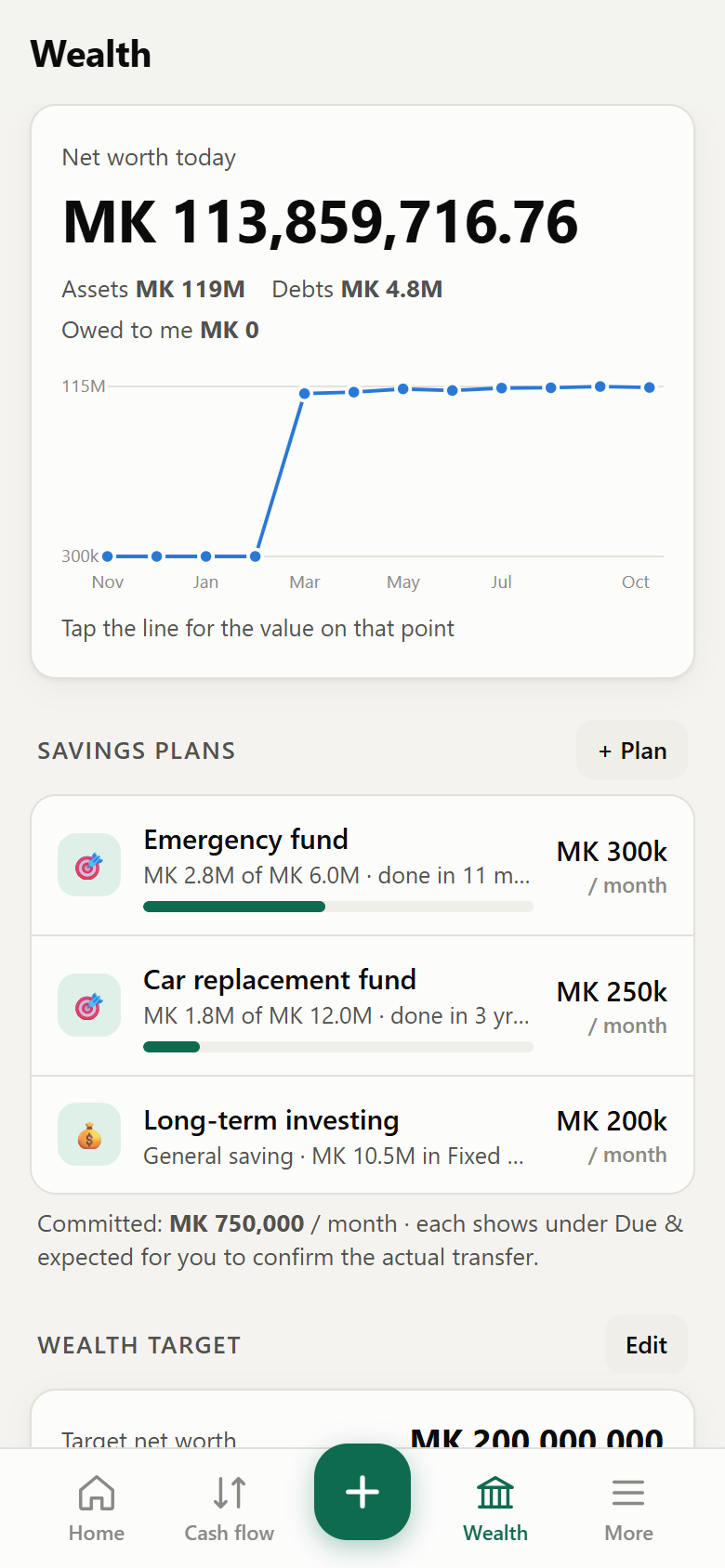
Wealth screen showing net worth and savings plans
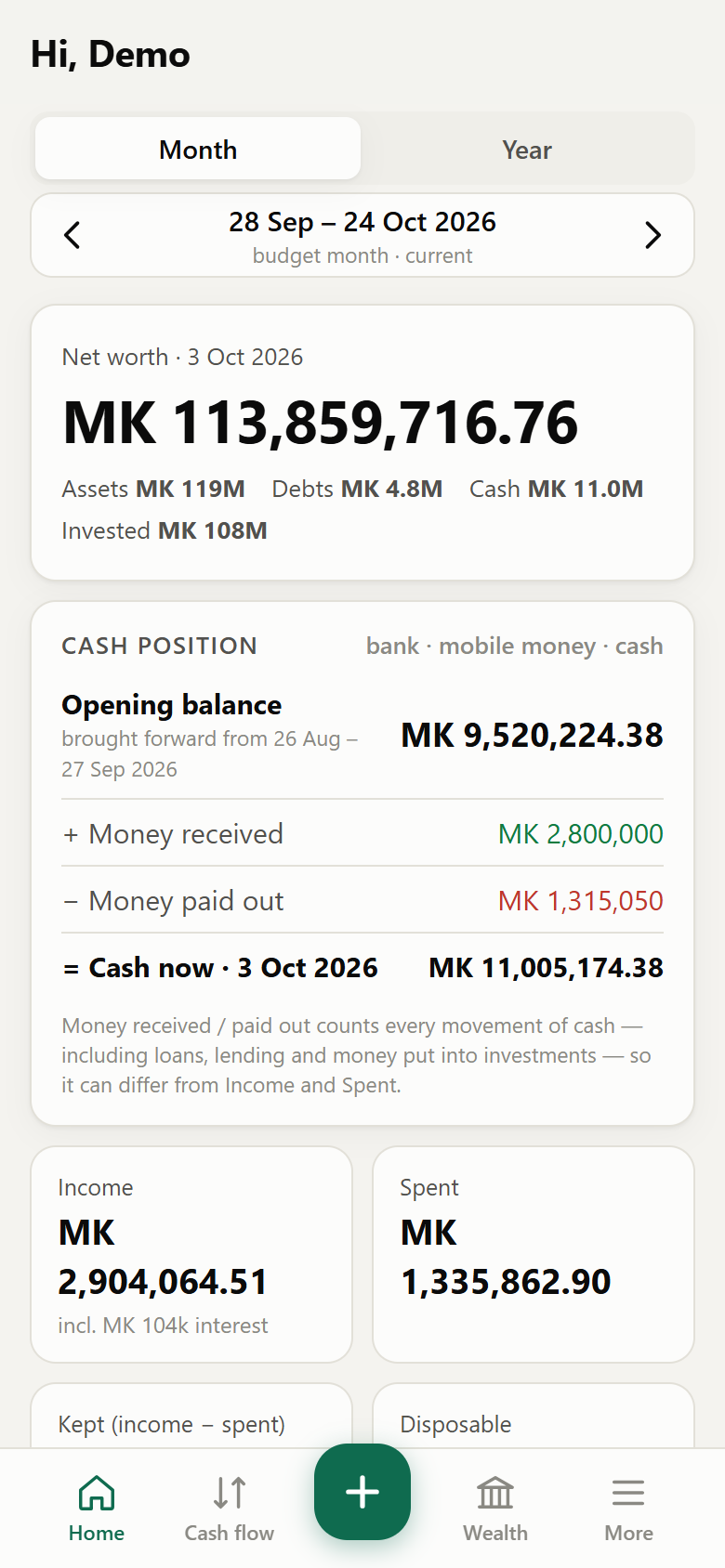
Home dashboard showing net worth and cash position
What it does

Beyond budgeting — a ledger for your whole financial life

Za Chuma works like an accounting system you can carry in your pocket. Every transaction is double-entry, so your balances, net worth and reports always add up.

🏦

Every account in one place

Bank accounts, mobile money wallets and cash — with opening balances, overdraft limits and the overdraft you still have left.

💬

Paste an SMS, import a statement

Paste bank or Mpamba/Airtel Money alerts, or import CSV/PDF statements. Amounts, fees, levies and the right account are picked out for you.

🧾

See what fees and levies cost you

Withdrawal fees, transfer fees, bank charges, taxes and levies are tracked separately — so you finally know the real cost.

⚖️

Needs vs wants — honestly

Tag spending as a need or a want and watch your “wastage” share. The app shows what halving your wants would free up.

🗓

Plan, then confirm the actual

Recurring salary, rent and bills appear as “expected”. When they happen, confirm the real amount — estimate and actual side by side.

🔄

Budget month = pay cycle

Run your month from pay day to pay day. Salary late? Roll over manually when it lands, so a late payment never splits your month.

%

Loans in and out

Bank loans with an amortisation schedule, private loans with fixed interest, and money you lend — with every instalment predicted.

🏗

Projects & instalments

Build a house, set up an office: plan cost items, split big costs into stage payments and link several items to one supplier payment.

🎯

Savings goals & wealth target

Commit to monthly savings, see how long a goal will take, and project when you'll reach the net worth you're aiming for.
Built on three ideas

Honest. Private. Yours.

Honest with yourselfCash position starts from what you actually brought into the month. Needs and wants are your call — the numbers just don't hide.
Private by designYour data lives only on your phone. No accounts, no servers, no adverts. Back it up to your own Google Drive or Files.
Works offlineInstall it from the browser like an app. It opens instantly and keeps working without data bundles.
Home

Start every day with the full picture

  • Net worth — everything you own minus everything you owe.
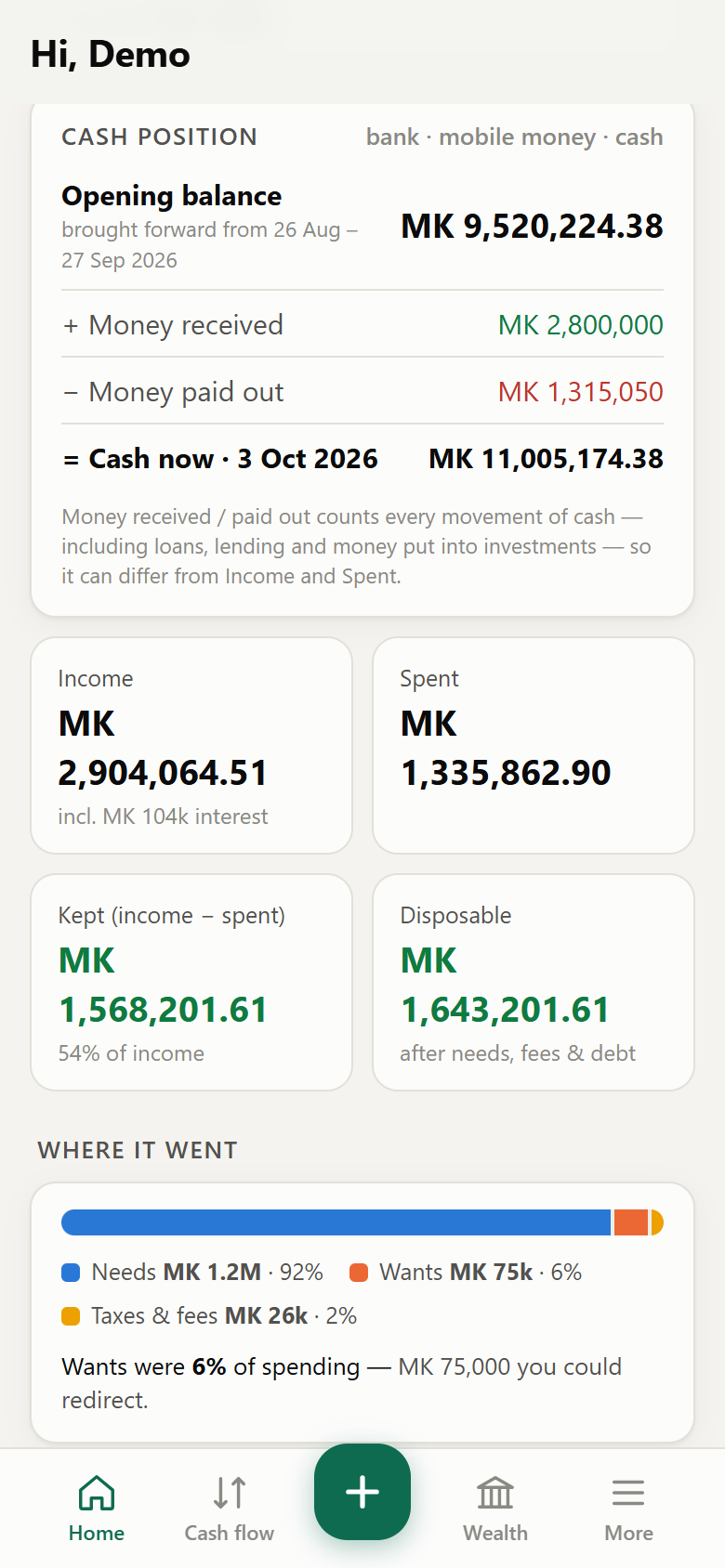
  • Cash position — the balance you brought into the month, what came in, what went out, what's left.
  • Where it went — needs, wants, taxes & fees and interest at a glance.
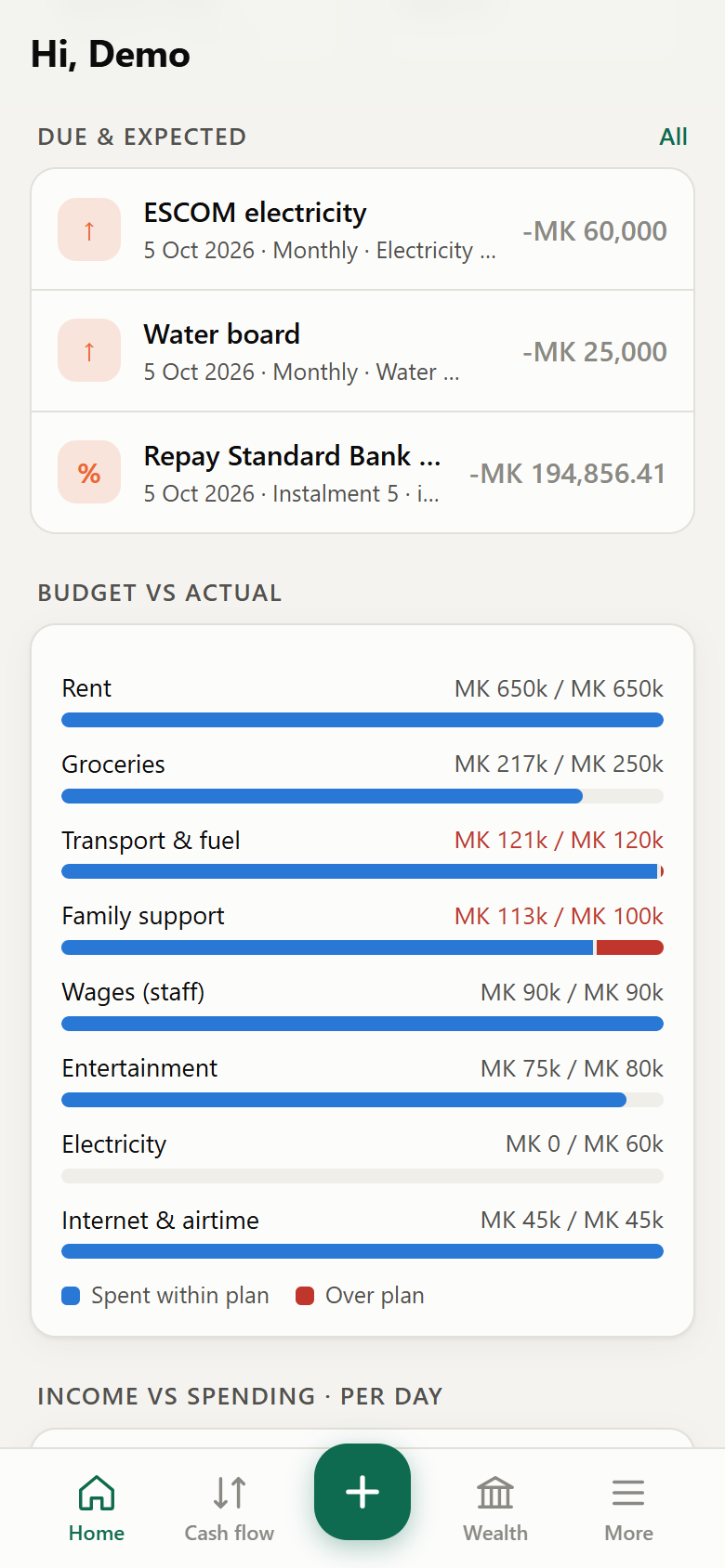
  • Due & expected — bills, instalments and savings waiting for you to confirm.
Cash position card
Due and expected list
Capture

Record a payment in seconds — fees included

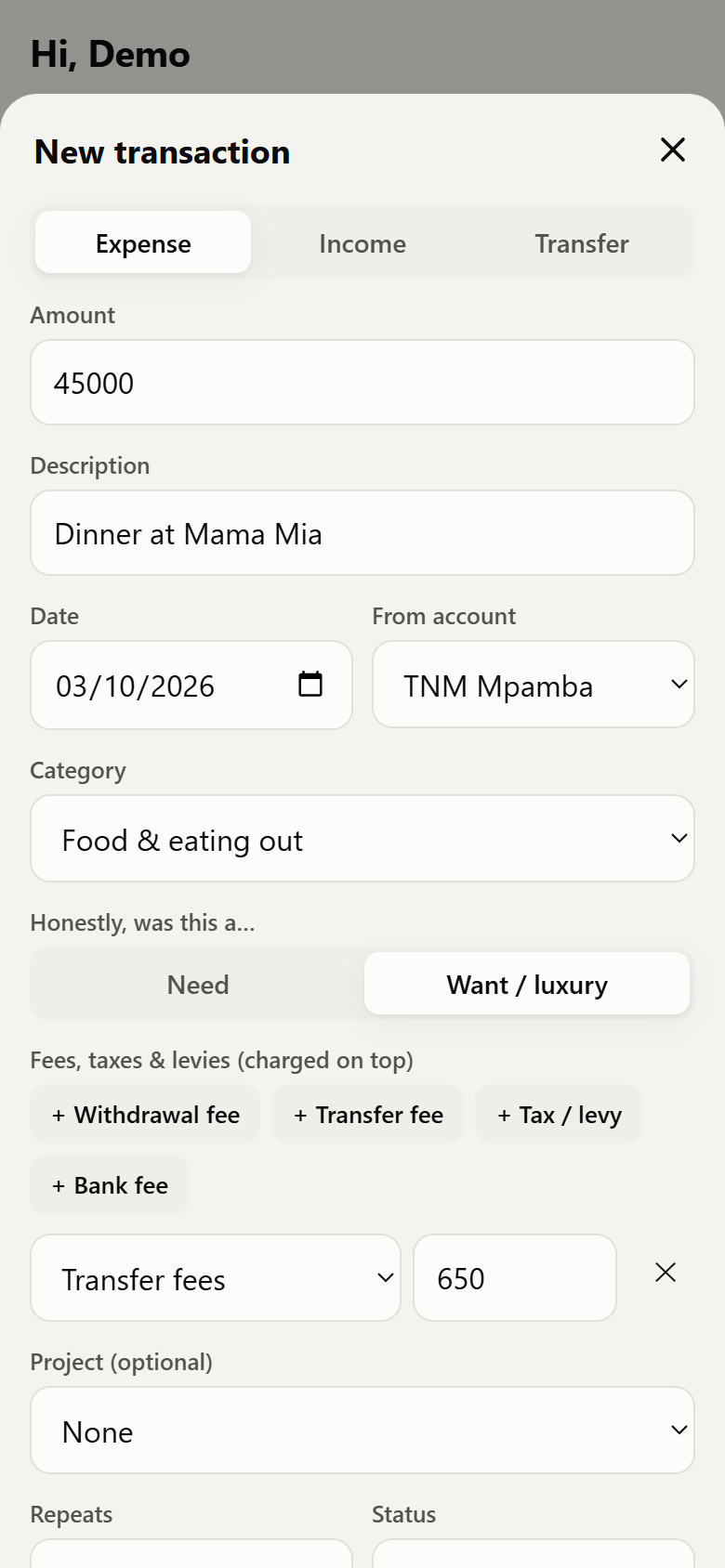
Choose the account, the category and whether it was a need or a want. Add a withdrawal fee, transfer fee, levy or bank charge with one tap, and each lands in its own total.

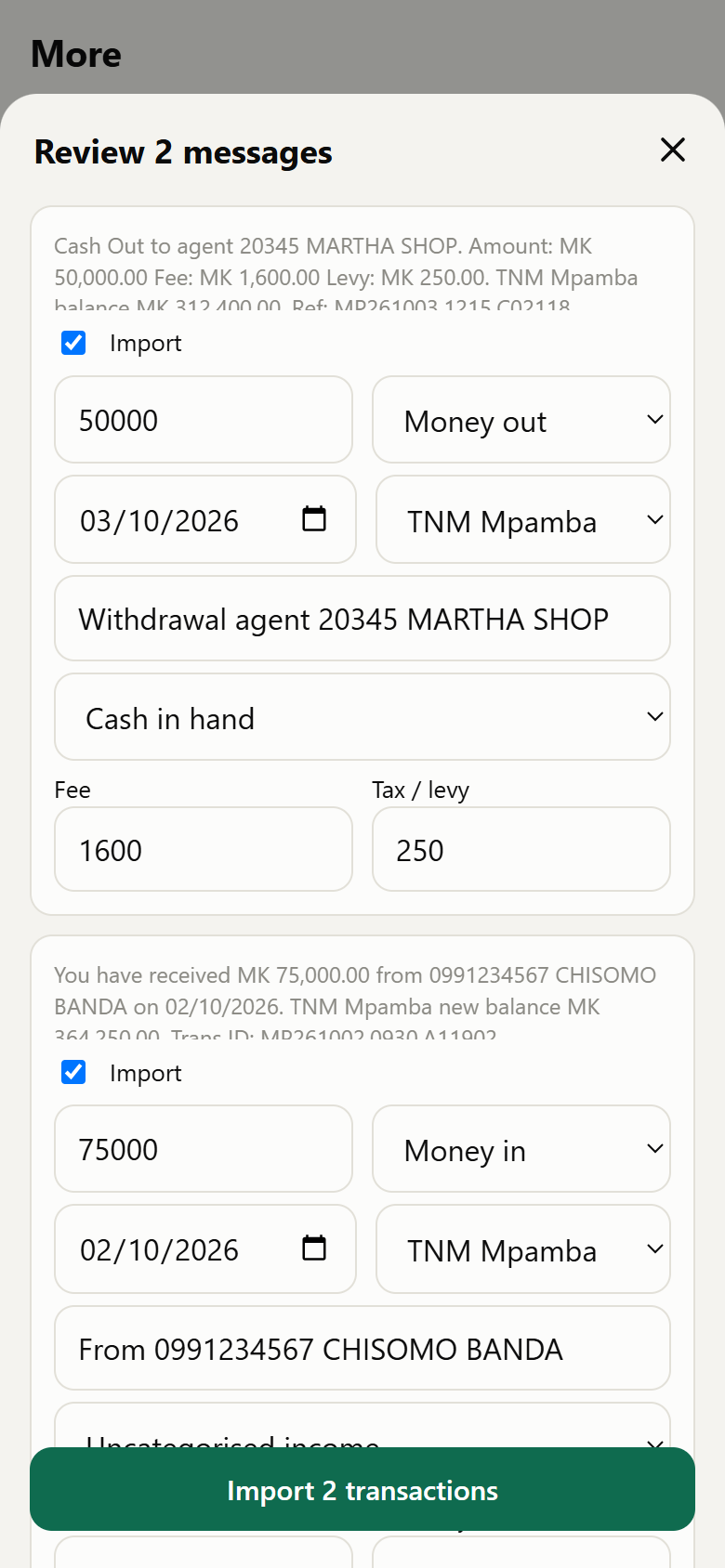
Or skip typing altogether: paste your SMS alerts, or import a statement.

Expense form with need/want and fees
Reviewing pasted SMS alerts
Wealth

Watch your wealth grow — and plan where it goes next

  • Houses, vehicles, fixed deposits and shares with interest estimates and revaluations.
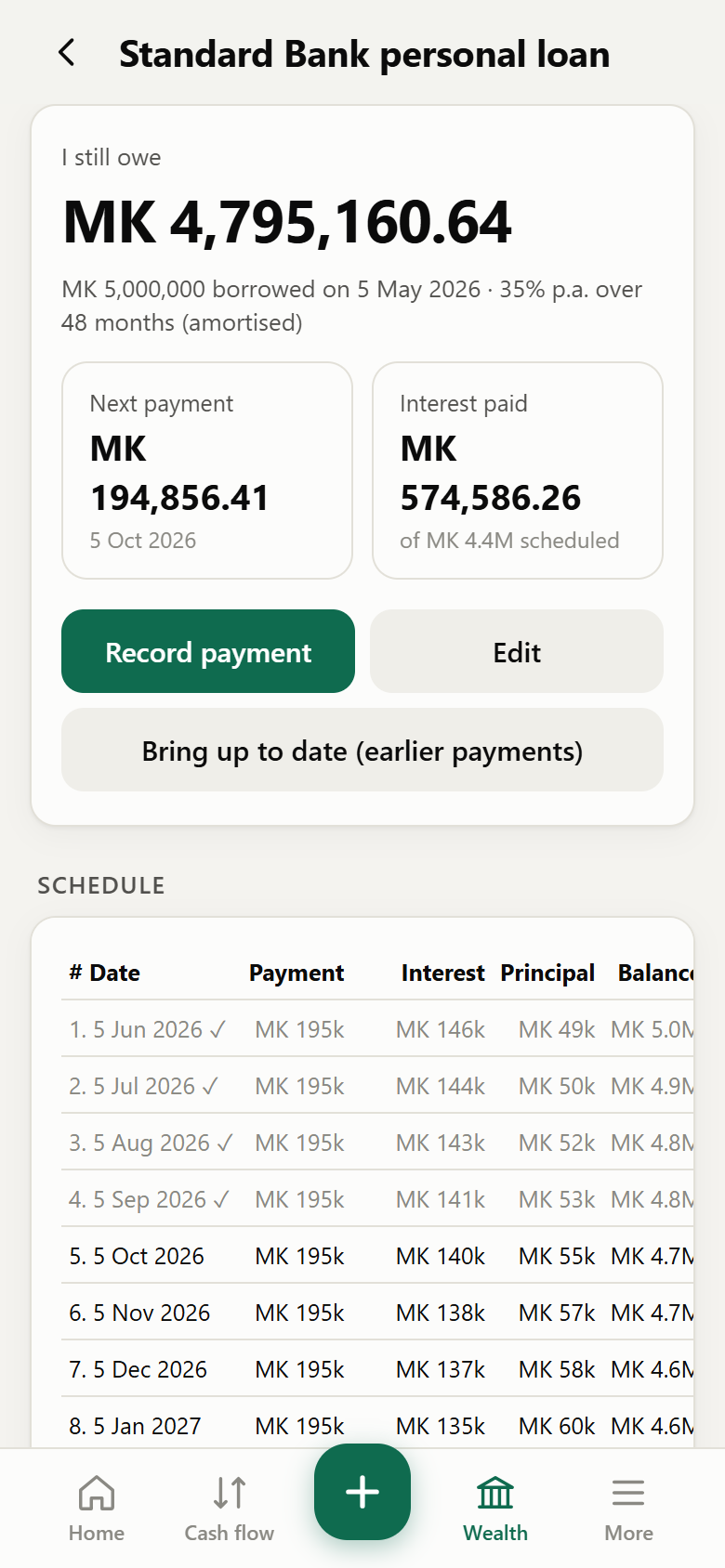
  • Loans with schedules, and a projection of each investment.
  • Savings goals that work out the monthly amount or the time it takes.
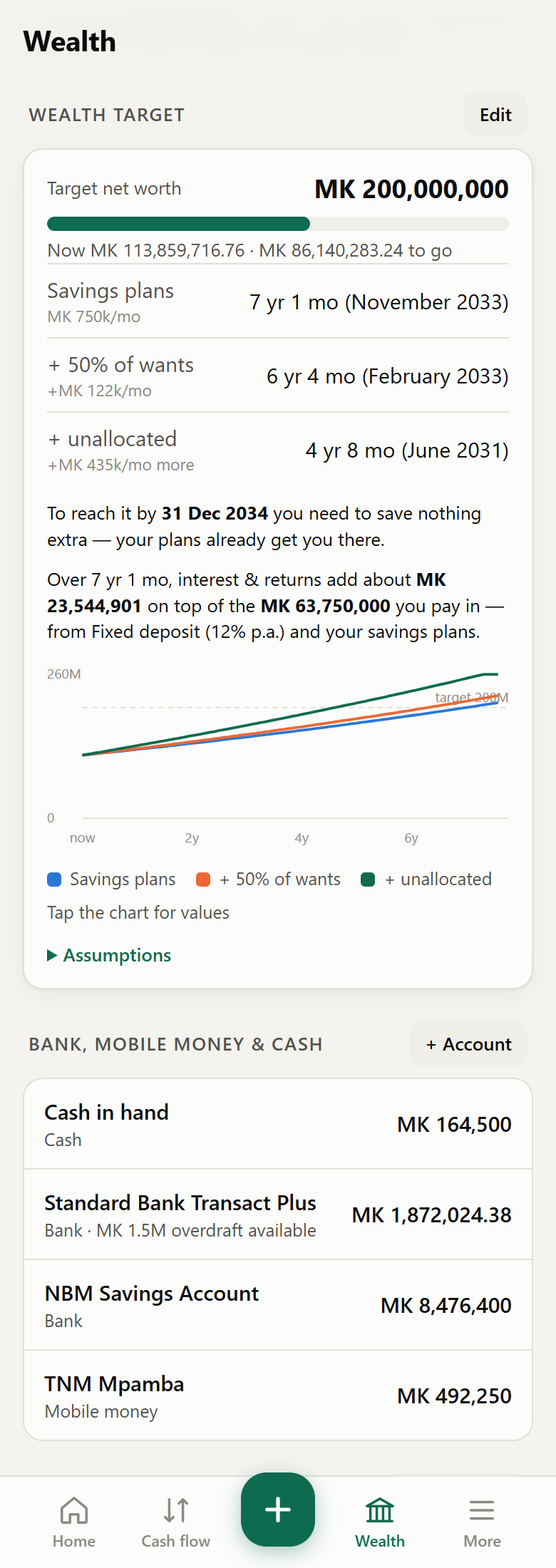
  • A wealth target with three paths to get there.
Wealth target projection
Loan schedule
Projects

Building something? Track it to the last bag of cement

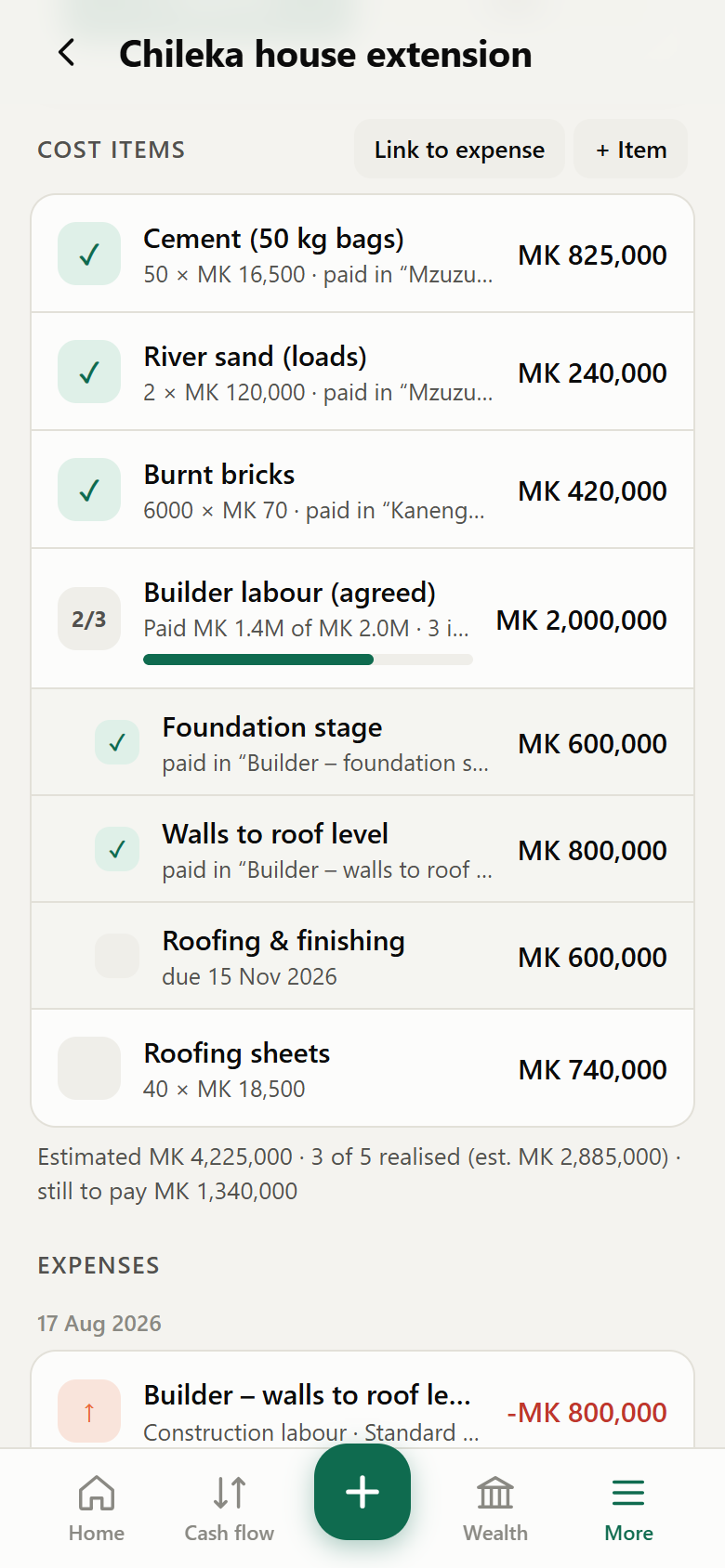
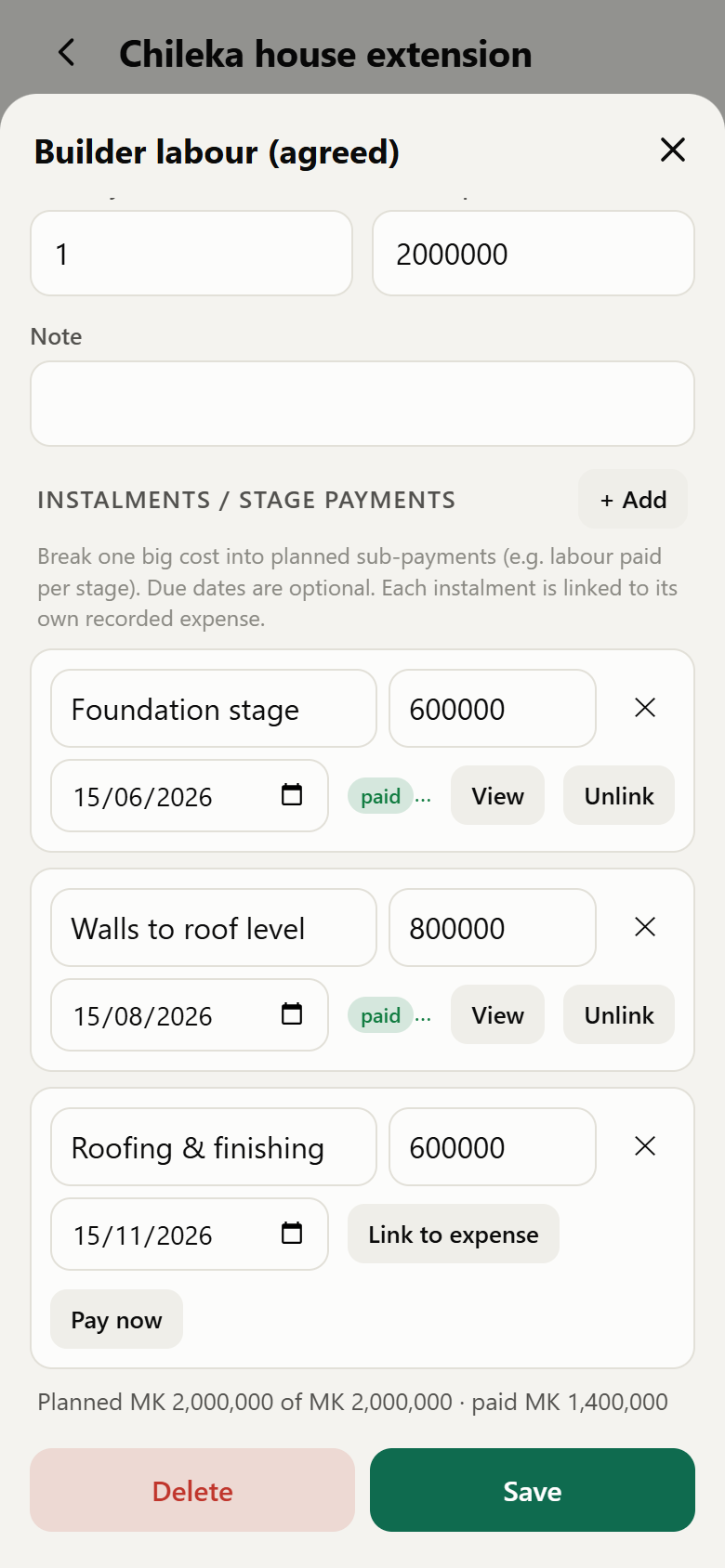
Give a project a budget and a shopping list. Split the builder's agreed labour into stage payments, pay suppliers once for several items, and always know what's left to pay.

Project cost items
Instalments of a cost item
Get started

Up and running in three steps

  1. Open & install

    Open Za Chuma in Chrome (Android) or Safari (iPhone) and choose Add to Home screen.

  2. Add your accounts

    Enter your bank, mobile money and cash balances, your assets and any loans. Set your pay day.

  3. Record & plan

    Add your salary and bills as recurring items, paste SMS alerts as you go, and set a savings goal.